
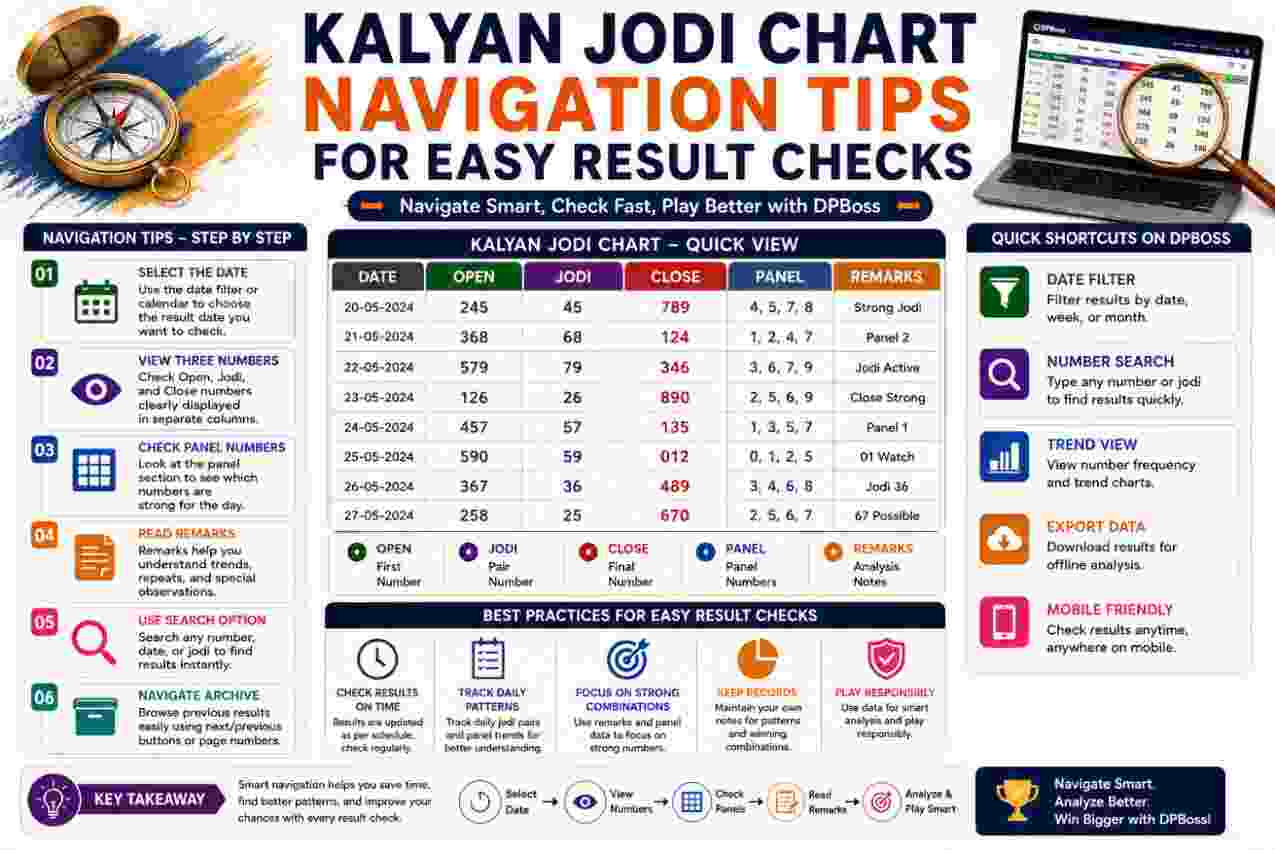
A Kalyan Jodi Chart can contain years of dates, panels, digits, and paired results within a compact layout. Finding the correct entry requires more than scanning for a familiar number. Readers must identify the date order, separate open and close values, preserve leading zeroes, and interpret blank cells correctly. A consistent navigation method makes result checking faster while reducing errors caused by crowded rows or unfamiliar formats. The following tips explain how to move through different chart layouts, verify entries, and use historical records responsibly without treating past outcomes as guaranteed forecasts.
Start by Identifying the Chart Structure
Every Kalyan Jodi Chart organizes historical data through rows, columns, or calendar-style blocks. However, the reading direction can differ between layouts. Identifying the structure first prevents readers from connecting a date with the wrong result.
Check the Main Labels
Begin by locating the labels that describe each section. Common labels include date, day, open panel, open digit, Jodi, close digit, and close panel. Some compact charts display only dates and two-digit pairs.
Read every heading before checking an entry. Additionally, note whether a heading applies to one column, an entire row, or a monthly group. A clear view of these labels reveals what each numerical value represents.
Important labels may identify:
- The month and year
- Weekday columns
- Open and close sections
- Panel numbers
- Single digits
- Final Jodi results
- Closed market dates
Determine the Reading Direction
Some charts place the oldest entry at the top and add newer results below it. In contrast, others display the latest entry first. Calendar layouts may run from left to right across weekday columns.
Check two or three consecutive dates to confirm the order. Consequently, readers avoid moving backward through the archive or selecting a result from an adjacent day.
A small directional check takes only a few seconds, yet it prevents major navigation mistakes in long records.
Locate the Correct Date Before Reading Numbers
The date should act as the starting point for every search. Numbers may repeat across an archive, but each date remains tied to one specific declared result.
Therefore, never begin by searching for a Jodi alone. First locate the year, then the month, and finally the exact calendar date.
Move From the Largest Date Unit to the Smallest
A practical navigation sequence follows this order:
- Identify the required year.
- Find the correct month.
- Locate the week or date range.
- Select the exact date.
- Confirm the weekday when available.
- Read across the corresponding row or cell.
This approach narrows the search gradually. Moreover, it works well in both monthly and yearly archives.
When a chart contains several years, verify the year heading again before copying any number. Similar date patterns can appear in every annual section.
Confirm the Date Format
Numerical dates can create confusion. For example, 06/08 may represent 6 August in one format and June 8 in another.
Look at surrounding entries to determine the convention. If the next rows show 07/08 and 08/08, the chart probably uses a day-month arrangement. Meanwhile, month names or weekday labels can provide additional confirmation.
Written month headings offer greater clarity than numerical dates. Even so, readers should check whether a section begins or ends midway through a week.
Recognize Open and Close Information
A detailed Kalyan Jodi Chart commonly records two stages: open and close. Each stage may contain a three-digit panel and a resulting single digit.
Separating these components correctly remains essential because the open digit forms the first half of the Jodi, while the close digit forms the second.
Read the Open Side First
The open panel often appears on the left side of a complete entry. Add its three digits and keep the final digit of the total.
For example:
- Open panel: 458
- Calculation: 4 + 5 + 8 = 17
- Open digit: 7
The resulting single digit should match the first number in the displayed Jodi. Therefore, if the Jodi reads 73, the open side should produce 7.
Follow the Entry to the Close Side
The close panel usually appears on the right side. It follows the same calculation method as the open panel.
For example:
- Close panel: 129
- Calculation: 1 + 2 + 9 = 12
- Close digit: 2
If the open digit is 7 and the close digit is 2, the completed pair becomes 72. Consequently, readers can verify the result by tracing both sides rather than accepting an isolated pair.
Do Not Reverse the Sequence
Digit order changes the result. A Jodi of 27 represents open digit 2 and close digit 7, whereas 72 represents open digit 7 and close digit 2.
Always read from the open side toward the close side. Similarly, preserve the arrangement when recording the result elsewhere.
Use Row Tracking to Prevent Alignment Errors
Crowded charts can make it difficult to follow one row across several columns. A reader may start on the correct date but accidentally move upward or downward while scanning toward the result.
Row tracking provides a simple solution, especially on wide desktop layouts or small mobile screens.
Keep the Selected Row Visually Anchored
Once the correct date appears, keep it visible while moving across the row. On a desktop screen, a pointer can act as a temporary marker. On a mobile device, careful horizontal scrolling helps maintain alignment.
Additionally, compare the rows immediately above and below the target entry. Their dates confirm whether the selected result still belongs to the intended line.
Break a Long Row Into Smaller Parts
Instead of reading an entire row in one movement, divide it into stages:
- Date to open panel
- Open panel to open digit
- Open digit to final Jodi
- Jodi to close digit
- Close digit to close panel
This method reduces visual jumping. Moreover, it encourages readers to verify each connection before moving forward.
Recheck After Horizontal Scrolling
Wide charts often require horizontal scrolling on smaller screens. However, the date column may disappear while the result columns remain visible.
Before copying a number, scroll back to confirm the date. Alternatively, note the row’s open panel as a temporary reference and verify it after reaching the close side.
Navigate Weekly Grid Layouts Carefully
Weekly grids organize results beneath weekday headings. These formats save space and make weekly comparisons convenient, yet they can create confusion when dates appear only at the edge of each row.
Readers should match both the week and weekday before selecting a result.
Find the Correct Week
Locate the date range or first date displayed for the required row. Then calculate which weekday column contains the target date.
For instance, a row may begin with Monday’s date and continue through Saturday. If the required entry falls on Thursday, move across to the Thursday column without shifting to another weekly row.
Match the Weekday Heading
Trace vertically from the weekday heading and horizontally from the correct week. The point where those directions meet contains the relevant entry.
This two-direction method resembles locating a position on a grid. Consequently, it reduces errors caused by selecting the same weekday from the previous or following week.
Watch for Irregular Weeks
Holidays and market closures can produce incomplete weeks. A blank cell may occupy one weekday while later results continue in their normal columns.
Do not shift the remaining entries to fill the blank. Instead, retain the original weekday alignment. Otherwise, every result after the closure may appear connected to the wrong date.
Navigate Monthly and Yearly Archives
Monthly and yearly records contain larger amounts of data than daily result lists. Their size demands a systematic search method.
Section headings, separators, and date ranges provide the strongest navigation points.
Use Month Names as Landmarks
In a yearly Kalyan Jodi Chart, scroll directly to the required month before examining individual dates. Month headings may appear as bold text, colored bars, abbreviations, or numbered labels.
After locating the month, verify the year again. Some archives place the same month from several years close together, which can cause an incorrect selection.
Notice Section Boundaries
Horizontal lines, spacing, color changes, and repeated column headings often separate monthly sections. Treat each boundary as a fresh starting point.
Moreover, check whether a month continues across two blocks. A publisher may divide a long month into weekly groups rather than one uninterrupted section.
Handle Dates That Cross Monthly Boundaries
A weekly row can contain dates from two months. For example, the row may begin near the end of one month and finish during the next.
In such cases, rely on the displayed date rather than the row’s general month heading. Additionally, check the weekday sequence to confirm that the dates continue correctly across the boundary.
Interpret Blank Cells and Special Symbols
Not every chart cell contains a number. Blank spaces, dashes, stars, and abbreviated labels may identify closures, unavailable data, or pending updates.
Since formatting practices vary, no single symbol carries the same meaning across every record.
Look for a Legend or Explanatory Note
A legend may appear above the chart, below it, or beside a yearly heading. It can explain colors, stars, dashes, and closure abbreviations.
Read that information before interpreting an unusual entry. Therefore, readers avoid treating a market closure as a zero result or assuming that pending data represents a confirmed outcome.
Distinguish Zero From Missing Information
Zero is a valid result digit. A blank cell, however, does not automatically represent zero.
Likewise, 00 is a complete two-digit Jodi, while “–” may show that no result was declared. The distinction matters because replacing a blank with zero changes the historical record.
Check Whether an Entry Remains Pending
Some active charts mark an undeclared close result with a placeholder. The open panel and open digit may appear first, while the close side remains empty.
Consequently, the displayed information does not yet form a complete Jodi. Wait for both sides before recording the entry as a final result.
Preserve Leading Zeroes
Leading zeroes play an important role in two-digit Jodi notation. Values such as 01, 04, and 09 must retain both positions.
Removing the first zero changes the visual structure and may cause confusion between a single digit and a completed pair.
Read Every Pair as Two Positions
Treat the first position as the open digit and the second as the close digit. Accordingly, 06 means open digit 0 and close digit 6.
Use this position-based approach for all results:
- 00 contains open 0 and close 0
- 03 contains open 0 and close 3
- 30 contains open 3 and close 0
- 33 contains open 3 and close 3
Check Copied Records for Automatic Changes
Spreadsheet programs, note applications, and some form fields may convert 04 into 4. When saving historical information, use a format that preserves the pair exactly.
Similarly, verify copied numbers before relying on them. A missing leading zero can make a correct source entry appear incomplete.
Use Search and Find Features Efficiently
Digital charts may contain large archives that require extensive scrolling. Browser search functions can shorten the process when dates or year labels appear as searchable text.
However, search results require careful verification because the same date or number may occur many times.
Search for Distinctive Date Text
A full date usually provides a better search target than a two-digit year. For example, searching for a month name and year can narrow the archive faster than searching for 27.
If the chart uses abbreviated months, match the displayed style. Additionally, confirm the selected result within its surrounding section after the search tool highlights it.
Avoid Searching by Jodi Alone
A pair can appear repeatedly across historical records. Searching only for 45 may highlight dates, panels, totals, or unrelated results.
Instead, search for the month, year, or complete date. Then navigate to the corresponding Jodi column.
Account for Image-Based Charts
Browser search cannot read numbers embedded inside an image in many situations. Readers must navigate image-based charts visually unless accessible text accompanies them.
Zoom controls, clear section markers, and systematic row tracking become especially useful in that format.
Apply Zoom Without Losing Context
Small text creates reading errors, particularly when a chart places several digits close together. Zooming improves visibility, but excessive enlargement can hide row labels and headings.
The best zoom level keeps the target number readable while retaining enough surrounding context for verification.
Zoom Into One Section at a Time
Locate the correct month or week before enlarging the display. Next, zoom into the target section and keep the nearest date label visible.
This sequence prevents readers from enlarging the wrong area and losing their position within a long archive.
Check Similar-Looking Digits
Low-resolution charts can make certain digits appear alike. For example, 1 may resemble 7, while 3 can resemble 8 in decorative fonts.
Compare the unclear character with other digits printed in the same style. Moreover, calculate the panel total when possible to confirm the resulting single digit.
Return to a Wider View for Verification
After reading an enlarged entry, reduce the zoom level and confirm its position within the monthly or weekly section. This final check reconnects the number with its date and headings.
Verify Results Through Internal Calculations
Detailed charts provide enough information for basic mathematical verification. Readers can add panel digits and compare the final totals with the displayed open and close values.
Internal checking helps identify transcription errors, misaligned rows, and incorrectly copied pairs.
Check the Open Calculation
Add the three digits in the open panel and retain the last digit of the sum.
For instance:
- Panel: 267
- Total: 2 + 6 + 7 = 15
- Open digit: 5
The Jodi should begin with 5. If it begins with another number, recheck the row alignment and panel digits.
Check the Close Calculation
Apply the same method to the close panel:
- Panel: 389
- Total: 3 + 8 + 9 = 20
- Close digit: 0
The Jodi should end in 0. Therefore, if the open digit is 5, the complete result should appear as 50.
Investigate Inconsistent Entries
An inconsistency may result from several causes:
- A typing mistake
- Incorrect row selection
- Misread panel digits
- A delayed correction
- Low image quality
- Confusion between open and close columns
Do not change the entry based on assumption. Instead, repeat the navigation process from the date and verify each component.
Avoid Common Navigation Mistakes
Most chart-reading errors come from rushing, overlooking labels, or relying on memory. A short verification routine can prevent these problems.
The goal should involve accurate historical checking rather than rapid number collection.
Do Not Select the Nearest Visible Number
After finding a date, confirm which column contains the Jodi. The nearest number may represent a panel, single digit, or result from an adjacent day.
Column headings provide the necessary context. Consequently, reading the label remains as important as reading the number itself.
Do Not Confuse Panels With Pairs
A panel contains three digits, while a Jodi contains two. Nevertheless, tight spacing may make a panel appear divided or make separate values appear combined.
Count the digits and inspect the column heading. Furthermore, verify the panel through addition when the chart provides a related single digit.
Do Not Assume Every Layout Matches
Familiarity with one chart format does not guarantee correct navigation through another. Publishers may reverse date order, reposition panels, or display only selected components.
Always inspect the current structure before using previous reading habits.
Do Not Ignore Corrections
Updated entries may include a different color, star, note, or replacement value. If a correction appears, confirm whether it affects the panel, digit, Jodi, or date.
Recording the earlier value can preserve an error even when the chart clearly marks a revision.
Create a Reliable Result-Checking Routine
A repeatable routine improves speed without sacrificing accuracy. It also reduces dependence on visual guesswork when the chart contains dense information.
Use the same sequence each time, regardless of the archive length.
Follow a Six-Point Check
Before accepting an entry, confirm:
- Correct year
- Correct month
- Correct date and weekday
- Correct open side
- Correct close side
- Correct final Jodi
This checklist takes little time. However, it addresses the most common sources of navigation errors.
Record Enough Context
When noting a historical result, include the date and complete two-digit pair. If detailed verification matters, also record both panels.
A contextual note may contain:
- Exact date
- Weekday
- Open panel
- Open digit
- Jodi
- Close digit
- Close panel
Such records remain easier to recheck than isolated numbers.
Review the Entry Once More
After copying the result, compare it with the source from right to left. This reversed review often catches mistakes that a second left-to-right reading overlooks.
Additionally, check every leading zero and confirm that no digit changed during copying.
Use Historical Charts Responsibly
A Kalyan Jodi Chart records declared past outcomes. Although readers can sort, compare, and count historical entries, those activities cannot guarantee future results.
Responsible use requires a clear distinction between factual recordkeeping and uncertain prediction.
Treat Patterns as Historical Observations
Repeated pairs, missing digits, doubles, and long gaps may appear meaningful. Nevertheless, they only describe the selected period.
Changing the date range can produce a different pattern. Therefore, no visible sequence should serve as proof of a certain future result.
Reject Claims of Guaranteed Outcomes
No chart can eliminate uncertainty or assure financial returns. Claims involving fixed Jodis, certain panels, or guaranteed winnings deserve caution.
Historical records support verification, not certainty. Consequently, readers should avoid making financial decisions based solely on past numerical repetition.
Respect Legal and Financial Boundaries
Rules concerning number-based wagering vary by jurisdiction. Check applicable laws and age restrictions before participating in any related activity.
Furthermore, never use funds required for housing, food, education, healthcare, debt repayment, or family needs. Set strict limits, avoid chasing losses, and stop when participation causes financial or emotional harm.
Conclusion
Effective Kalyan Jodi Chart navigation begins with the correct year, month, date, and layout. Readers should trace rows carefully, separate open and close values, preserve leading zeroes, interpret symbols through available notes, and verify detailed entries through panel calculations. Search, zoom, and structured checking methods can make large archives easier to use, yet every result still requires date confirmation. Most importantly, historical charts record previous outcomes rather than guaranteed forecasts. Careful navigation improves accuracy, while responsible limits protect readers from legal, financial, and emotional harm.
FAQs
How can readers find a date quickly in a long Kalyan Jodi Chart?
Start with the year, move to the required month, and then locate the exact date. Browser search may help when the archive contains searchable text. After reaching the date, verify the weekday and surrounding entries before reading across the row to the Jodi column.
How can readers avoid choosing a result from the wrong row?
Keep the target date visible while tracing horizontally across the chart. Break the row into smaller sections and compare the dates directly above and below it. After finding the result, return to the date column and confirm the alignment before copying any numbers.
What should readers do when a chart contains a blank cell?
Check the legend, nearby note, or section heading before assigning meaning to the blank. It may indicate a market closure, pending result, unavailable record, or omitted data. Never treat a space as zero because zero remains a valid numerical result and requires explicit display.
Why should leading zeroes remain in a Jodi?
A Jodi always contains two positions. In 07, zero represents the open digit, and seven represents the close digit. Removing the zero leaves an incomplete-looking value and can create confusion. Preserve both digits when reading, copying, sorting, or saving any historical pair.
How can panel numbers help verify a Jodi?
Add the three open-panel digits and use the total’s final digit as the first Jodi number. Next, add the close-panel digits and use the final digit as the second number. If either calculation fails to match, recheck the panel, row alignment, and displayed result.
Can browser search locate every result in a digital chart?
No. Search works when the chart contains selectable text, but it may not detect numbers embedded in images. Even with text-based records, repeated dates and pairs can produce several matches. Search for a distinctive month or full date, then verify the result within its surrounding section.
Does chart navigation help predict the next result?
Accurate navigation helps readers locate and verify historical outcomes, but it does not make future results certain. Repetitions, gaps, and frequency counts describe past data only. Readers should reject guaranteed-result claims, recognize financial risk, and treat the chart strictly as a historical record.